|
The designers I work with think I sit at home with kids' activity books where you identify what is different about one image from the other. In my case, it is one sleeve has a cuff and the other doesn't or only one side of the collar has top stitching. Fashion illustration is a wonderful art form and can convey the vision for a clothing line or style. However, the flat sketches used to communicate with a manufacturer need to be free of artistic embellishment. Countless times I've received sample garments from a manufacturer with an issue only to look at the sketch and find the factory followed the sketch exactly. Some basic tips for flat sketches:
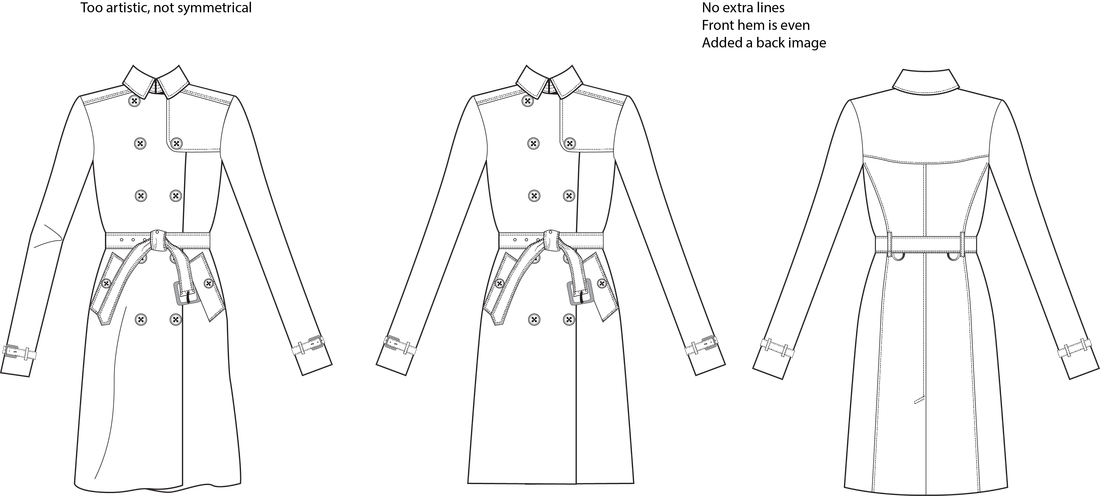
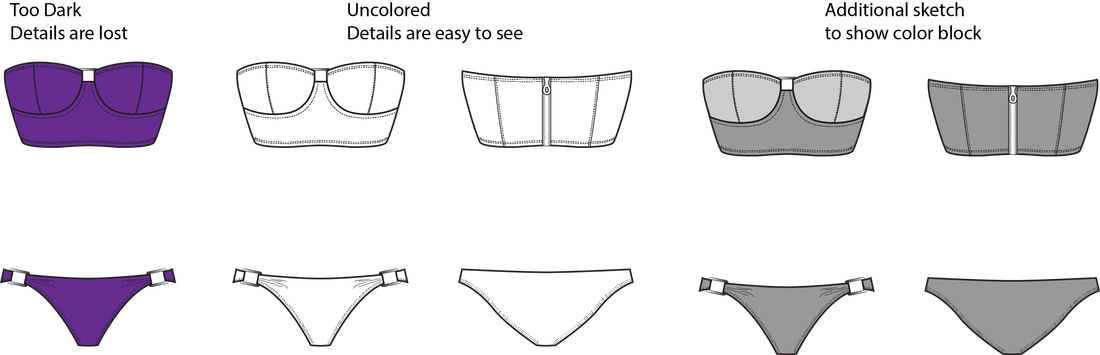 There are various opinions on whether to include the inside of the back collar / interior of the garment on a front sketch. I believe as long as the image is clear either way is acceptable.
**If you aren't well versed in stitch types American and Efird has a great resource on their website that shows common stitch types. Feel free to comment with additional suggestions or resources!
0 Comments
Leave a Reply. |